
EAFC Webapp Autobuyer Setup Usage Snipe Filters Tutorials
FC 27 Web App tool FF Webapp Extra: Full Tutorial -- Every Feature for the EA download
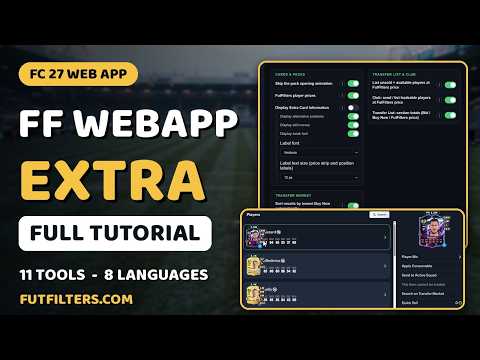
FC 27 Web App tool FF Webapp Extra: Full Tutorial -- Every Feature for the EA download from https://futfilters.com/#downloads-section
A full walkthrough of FF Webapp Extra, a userscript that adds new tools to the EA FC 27 Ultimate Team Web App. Every feature is shown live, one by one, with the exact settings to turn on.
What's covered:
- Skip the pack opening animation
- FutFilters player prices on every card (PS / PC, faded when older than two days)
- Extra card information chips: alternative positions, preferred foot, weak foot and skill moves (4*4)
- List unsold + available players at the FutFilters price (price adjustment, one by one)
- Club tool: scan your club for tradeable players, send them to the Transfer List or list them at the FutFilters price
- Transfer List section totals: total Bid, total Buy Now and total FutFilters price
- SBC: fill the squad from a FUTNext link or player IDs (saved, never submitted)
- SBC: send bought players to your club instead of the Transfer List
- Transfer Market: sort by lowest Buy Now automatically, open the Buy Now window for the cheapest result, optional auto Ok
- The whole menu in 8 languages: Turkish, English, Spanish, German, French, Hindi, Chinese and Arabic
Heads up: the auto Ok option completes purchases without confirmation and full automation carries a high risk of an EA account ban. It is off by default. Use it at your own risk.
00:00 Intro
00:13 Skip the pack opening animation
00:33 FutFilters player prices
01:05 Extra card information
02:09 List unsold players at the FutFilters price
03:25 Club: send / list tradeable players
04:31 Transfer List section totals
04:56 SBC: fill the squad from a FUTNext link
05:50 SBC: send bought players to the club
06:18 Transfer Market: sort by lowest Buy Now
06:46 Open the Buy Now window automatically
07:12 Auto Ok (and the ban risk)
07:52 8 languages
08:13 Outro
For live snipe filters, price checks and more FC 27 guides, head to FutFilters.com.
#FC27 #EAFC27 #FUT27 #UltimateTeam #FC27WebApp #FC27Trading #FC27SBC #FutFilters