
🔧
New feature added: Filter test — check a filter live without buying anything and get a better Max Buy suggested (flask icon on a filter row in the panel). Included in FF AutoBuyer 1.47.108 and FREE Webapp extra tool 0.22.35.94 Extensions. Follow for EAFC27 Updates from
EAFC Webapp Autobuyer Setup Usage Snipe Filters Tutorials

EA FC 27 Webapp Extra Tutorial Auto Packs and Auto Listing #eafc27 #webapp #packopening #packvalues
futfilters · October 25, 2026 · 0 views
EA FC 27 Webapp Extra Tutorial Auto Packs and Auto Listing #eafc27 #webapp #packopening #packvalues
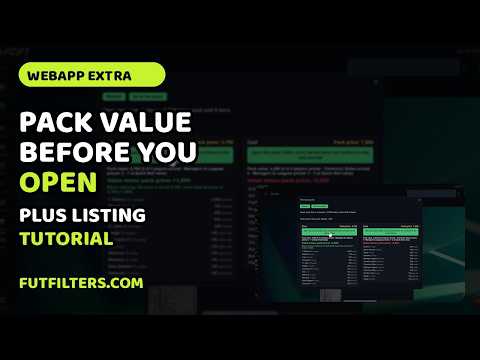
FutFilters Webapp Extra Tutorial: Pack Value Check, Profit Tracking and Batch Listing DESCRIPTION In this walkthrough we show what the FutFilters Webapp Extra adds to the EA FC Web App pack and transfer screens, and why we built each part. What it does: - Pack value check: before you open a pack, the panel values its contents from FutFilters catalog prices and shows value minus pack price. A negative number means the pack is worth less than you pay on average. - Run tracking: while you open packs, a running profit or loss total for the session, with packs opened, coins spent and quick sold. - Quick sell and send buttons on the Unassigned page, with the quick sell total shown before you confirm. - List at FutFilters price: a table of your unassigned players with old price, FutFilters price and new BIN and start price. Set the price adjustment, choose the duration, tick the players and list the batch. Why it works this way: you see the expected return before you spend coins, not after; pricing every card by hand takes too long; and listing runs in small steps with short pauses, because EA throttles accounts that send too many actions in a short time. Prices are a guide from our catalog. Check the listed price against the market before you confirm. More guides, snipe filters and live prices: www.futfilters.com Chapters: 0:00 Introduction 0:14 Pack value check 0:46 Opening packs and the run panel 1:28 Unassigned items, quick sell and send buttons 2:12 List at FutFilters price 2:56 Listing pace and caveats 3:25 Outro HASHTAGS #FC27 #EAFC27 #FUT #FutFilters #Tutorial
#EA FC 27#FC 27#FUT#FUT Filters#Sniping Filters#EA FC 27 Sniping Filters#Best FUT Filters#Auto Snipe EA FC 27#FUT Trading#Coin Making EA FC 27#EAFC 27 Filters#Daily Sniping Filters#Web App Filters#Console Filters#PC Filters#FUT Market EA FC 27#Best Snipes EA FC 27#FUT Profit#EA FC 27 Trading Methods#futfilters#eafcbots#webapp#tutorial#autobuyer setup#snipe filters#setup guide#packs#pack opening#pack values#transfer list#auto list#open packs

Quick summary & FAQ

FutFilters Webapp Extra Tutorial: Pack Value Check, Profit Tracking and Batch Listing

What does “EA FC 27 Webapp Extra Tutorial Auto Packs and Auto Listing” cover?

It covers: Introduction; Pack value check; Opening packs and the run panel; Unassigned items, quick sell and send buttons; List at FutFilters price; Listing pace and caveats; Outro.

What is FutFilters?

FutFilters (futfilters.com) provides EA FC 27 snipe filters for the Ultimate Team Web App transfer market, with live profit calculation, a free daily filter and full access through Patreon or Telegram. It is an independent tool and is not affiliated with EA or futbin.

How do I use FutFilters snipe filters?

Pick a filter from the list on futfilters.com, set it in the EA FC 27 Web App transfer market search, buy below the card's usual value and sell at value. The site marks which filters are live right now.